Coin Master is one of the most downloaded mobile games in the world. The game looks simple. Spin a wheel, build a village, attack people. But there is a system underneath all of that, and once you understand it, you start moving through villages fast.
Before you start, grab today's Coin Master free spins from our homepage — they are updated every day and cost nothing to collect.
This guide covers everything. How spins work, when to raid, how to use pets, which events actually matter, and yes, how to play coin master on your laptop too. Read through it once, and you will play it like a completely different player.
What Coin Master Actually Is
Coin Master is a free mobile game built around a slot machine. You spin the wheel, and whatever lands determines what happens next. Coins, shields, attacks, raids. You use coins to build and upgrade your village, and every time you finish a village, you unlock the next one. There are hundreds of villages in the game.
The social layer is what makes it addictive. You attack real players' villages. You raid their coin stashes. Other players attack you too. And alongside all of that, you collect cards, raise pets, and participate in limited-time events that can either boost your progress or set you back depending on how you handle them.
You can find Coin Master on the Google Play Store and the App Store. It is completely free to download. You cannot make real money playing it. That question comes up a lot, and the answer is simply no.
How the Spin Wheel Works
Every session in the Coin Master game play starts with a spin. The slot machine has five possible outcomes:
| Symbol | What It Does |
|---|---|
| Coins | Gives you a coin reward based on your current bet level |
| Gold Bag | Gives a large coin payout, bigger than a standard coin drop |
| Shield | Adds one shield to your village (max 3 active at once) |
| --- | --- |
| Hammer (Attack) | Lets you attack another player's village |
| Pig (Raid) | Let's you raid another player's village for coins |
Spins regenerate automatically. You get one spin every 5 minutes up to a cap. At the default level, the cap sits at 50 spins. Once you hit the cap, new spins stop generating until you use some. This is why logging in regularly matters more than sitting on a full stack.
How to Get Free Spins Every Day
Coin master free play comes from a few sources that most players do not fully use.
Daily free spin links. Coin Master posts links on their official Facebook and Instagram pages every single day. These links expire after a day or two, so check them often. Our coin master free spins page lists them as they go live.
In-game daily tasks. Every day you get 3 to 5 tasks. Things like spin 10 times, upgrade 2 buildings, or attack 3 villages. Completing all of them gives you 10 to 15 spins. Small amount, but it adds up fast over a week.
Video ads. The game offers free ad watches inside the app. Each one gives coins or spins. Most players ignore this. Do not ignore it.
Friend invites. Connecting your account to Facebook and inviting friends gives both of you free spins. Each accepted invite counts.
Events. Many events hand out spins as completion rewards. More on this in the events section.
The Right Way to Use Spins
Spinning randomly with no event active is the single biggest waste in coin master gameplay. Rewards outside of events are baseline. During events like Raid Madness or Attack Madness, the same spins earn 2 to 5 times more. So spinning between events is essentially throwing away half your potential coins.
The best practices:
- Play in sessions of 10 to 20 spins minimum. Opening the app for 2 spins, then closing it, is not a strategy.
- Keep a spin reserve. New players should hold at least 50 spins before any event. Experienced players save 200 to 300 before Viking Quest or Raid Madness.
- Do not spin during weak event windows or between major events. Wait.
- Watch when your spin cap is close to full. Collect before you hit the ceiling and lose regeneration time.
How Bet Levels Work
The bet multiplier changes how much you earn and how much each spin costs.
At x1 bet, you earn standard coin amounts. At x5 or x10, coin rewards multiply, but so does the cost per spin. This matters because your coin bank gets drained fast at high bets.
The smart approach:
- Raise your bet to x5 or x10 during active events when your coin bank is healthy
- Drop back to x1 or x2 when your coins run low
- Never run high bets while offline or distracted. You will drain coins without capturing the right moment to spend them.
How to Attack Other Villages
When you land on the Hammer in Coin Master gameplay, you get to attack another player's village. Attacking destroys one building and earns you coins.
What most players miss:
- The coin payout scales with how many coins the target is currently holding. Attack players who are sitting on large balances.
- Activate your Tiger pet before any attack session. Tiger adds bonus coins on top of every successful hit, and at higher levels, the extra payout is significant.
- Use the Revenge button. It shows players who recently attacked you. Attacking back on random players is fine. Attacking Facebook friends creates drama you probably do not want.
- Never attack with fewer than 3 spins left. If the first attack does not land well, you want spins left to try again or switch targets.
Attack Madness Event
Attack Madness runs multiple times per week and stacks bonus rewards on top of your attacks. The more villages you attack during the event, the higher the reward tiers you unlock. Before Attack Madness starts, have Tiger active and at least 200 spins ready.
How Raids Work
A Raid lets you dig into another player's village and take their coins. You get 3 dig spots by default. Foxy the pet opens a 4th spot.
Raids are often where the biggest single-session coin gains come from, especially if you pick targets who are sitting on a lot of coins.
To raid better:
- When the raid screen opens, look at the map. Dig in spots that feel strategic. The coins are hidden, but patterns can help over time.
- Always have Foxy active during raids. That 4th dig spot adds up to significant extra coins, especially at higher Foxy levels.
- Pick rich targets when possible. The game sometimes lets you shuffle to a new target. Use it if the current player looks low on coins.
Foxy: Your Raid Pet
Foxy unlocks when you reach village level 4. You do not have to do anything special. It hatches automatically.
At level 1, Foxy adds 16% extra coins to every raid. By level 100, that jumps to 100% extra. Keep feeding Foxy before raid sessions. Pet abilities stay active for about 4 hours after each feeding, and the food comes from chests and events.
Shields and Village Defense
Shields block attacks. You can hold 3 active at once. When an attacker hits you with no shields up, you lose coins, and one of your buildings takes damage.
The rule is simple: never go offline with zero shields and a full coin bank.
How to stay protected:
- After spinning, if you land on shields and already have 3, the extra shield converts to coins. So running a full shield stack is the goal before you stop playing.
- Spend your coins before going offline. Sitting on billions of coins with no shields is asking to get hit.
- Rhino pet (unlocked through the Creatures card set) gives a random chance to block attacks even without shields. At higher levels, Rhino's block rate becomes useful enough to matter.
When to Spend Coins vs. When to Hold
Upgrade buildings aggressively when shields are active and you are online. Holding coins without spending them makes you a target. The faster you move coins into upgrades, the less there is for raiders to steal.
During Village Mania events, upgrades give bonus rewards. That is the best time to push hard on your current village.
How Village Progression Works
Each village has a set of buildings. Upgrading all of them to max level completes the village and unlocks the next one. Early villages are cheap. Later ones cost hundreds of billions of coins per upgrade.
Tips for faster village progression:
- Time your big pushes for Village Master events. Completing villages during this event gives bonus spins, coins, and XP.
- Do not start an upgrade right before going offline if you have zero shields.
- Focus on finishing one village at a time rather than spreading coins across multiple partial upgrades.
- Track your village costs. The jump from mid-game villages to late-game ones is steep, and players who do not save enough coins hit a wall.
Master Coin Card Collecting
Cards come from chests. You buy chests with coins. There are sets of 9 cards, and completing a full set gives you rewards including spins, coins, and pet XP. Some cards are common. Some are rare. Gold-bordered cards are the hardest to get.
The basics:
- Open chests only during the Cards Boom event. During this event, every chest gives 50% more cards. Opening chests outside of it wastes coins for weaker returns.
- If you are one card away from completing a set, wait for the Set Blast event. Completing a set during Set Blast gives 30% more rewards on top of the normal payout.
- Duplicate cards can be traded with friends. You can send one card per day per friend by default.
Gold Card Trading
Gold cards cannot be traded during normal gameplay. The only time you can trade gold cards is during the Gold Card Trade event, which runs roughly once a month. During this event, the trade value of rare and super-rare cards multiplies 3 to 5 times. Plan your trades around it. Do not give away gold cards outside of this event window.
Card Boom Event
Card Boom adds 50% more cards to every chest you open. Save your coins and wait for Card Boom before you spend on chests. It is one of the most impactful events for card set completion.
Pets Guide: Foxy, Tiger, and Rhino
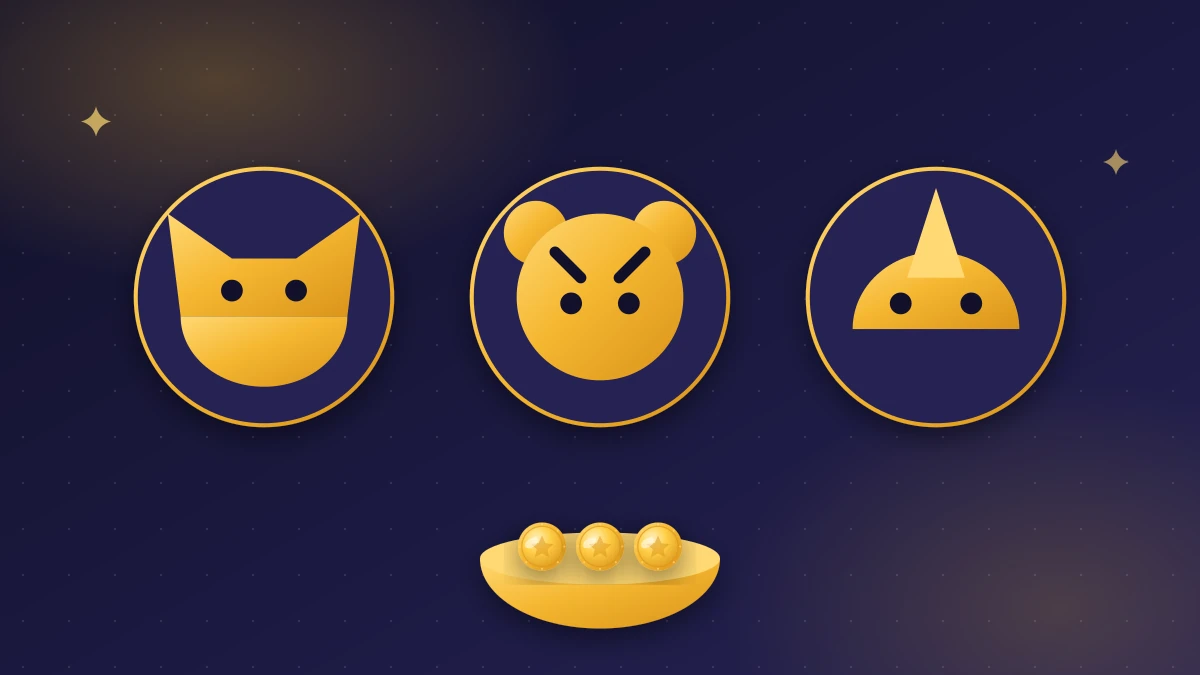
Pets give you gameplay bonuses during raids, attacks, and defense. You can only have one pet active at a time until village level 200, where the Pet Crew feature unlocks and lets you run multiple pets simultaneously.
Feed pets before every session. Each feeding lasts about 4 hours. Pet food comes from chests, events, and daily rewards.
| Pet | Unlocks | Best For | Ability |
|---|---|---|---|
| Foxy | Village level 4 | Raids | Digs a 4th hole and adds bonus raid coins |
| Tiger | Complete Beasts card set | Attacks | Adds extra coins to every successful attack |
| Rhino | Complete Creatures card set | Defense | Random chance to block an incoming attack |
Which Pet to Use When
- Raiding or Raid Madness is active: use Foxy
- Attacking or Attack Madness is active: use Tiger
- Going offline with a big coin balance: switch to Rhino
- Village level 200 and above: activate Pet Crew and run all three
Tiger at level 1 gives 60% extra attack coins. At level 300, that reaches 417%. Investing pet XP into Tiger pays off if you attack more than you raid.
Master Coin Events
This is the part that separates fast players from slow ones. Coin Master in 2026 runs events almost constantly, and the rewards gap between playing inside an event versus outside is enormous.
The major recurring events and what they mean for how you play coin master:
| Event | Frequency | What to Do |
|---|---|---|
| Raid Madness | Multiple times weekly | Save 300+ spins, activate Foxy, go hard |
| Attack Madness | Multiple times weekly | Save 200+ spins, activate Tiger, chain attacks |
| Viking Quest | Monthly | Start immediately, complete the full chain for a big spin jackpot |
| Village Master | Monthly | Push village upgrades fast during this window |
| Card Boom | Monthly | Open all your chests during this event only |
| Gold Card Trade | Monthly-ish | The only time to trade your gold cards |
| Set Blast | Periodic | Complete card sets during this event for 30% more rewards |
| Bet Blast | Periodic | Unlocks higher bet multipliers for bigger coin rewards |
The practical rule: Check the event banner before you spend spins or coins. If nothing good is active, wait.
How to Play Coin Master on PC or Laptop
Coin Master does not have an official PC app. It is built for Android and iOS only. But you can play it on a Windows or Mac computer using an Android emulator, and this is completely allowed under the game's terms of service.
Using BlueStacks (Windows and Mac)
- Download BlueStacks from their official site. It is free.
- Sign in to your Google account inside BlueStacks.
- Open the Google Play Store inside BlueStacks and search for Coin Master.
- Install and launch the game.
- Connect your Facebook account to sync your progress between your phone and PC.
BlueStacks works well on most modern computers. Coin Master is not a demanding game, so even older hardware handles it fine.
Mac with Apple Silicon (M1, M2, M3)
On newer Macs, you can install Coin Master directly from the Mac App Store as an iPhone or iPad app. No emulator needed. Search for Coin Master in the Mac App Store and install it like any other app.
Chromebook
If your Chromebook supports the Google Play Store, you can install Coin Master directly without an emulator. Most Chromebooks made after 2019 support this. Just open the Play Store, search for Coin Master, and install it.
One thing to know: some daily free spin links do not activate correctly inside emulators. If you collect links, do it on mobile whenever possible, then play on PC for longer sessions.
Joining the Coin Master Community
The game's social layer extends beyond the friends list. Active communities on Facebook and Telegram share:
- Daily free spin links before they expire
- Card trade requests and duplicates
- Event schedules are tracked by community members (Moon Active does not publish a fixed calendar)
- Tips specific to your current village or card set
These groups can realistically add 20 to 50 free spins per week just from shared links. Find an active group with recent posts. Many older communities no longer exist, so check the post dates before you join.
Mistakes That Slow Down Most Players
Spinning with no event active. This is the number one time waster. Your spin rewards outside of events are much smaller.
Opening chests outside of Cards Boom. You get 50% fewer cards for the same coin cost.
Completing card sets outside of Set Blast. You lose 30% of the set reward.
Holding too many coins with no shields. You become the richest target in the room.
Ignoring pet feeding timers. A sleeping Foxy during a Raid Madness session is coins left on the table.
Going offline without checking shields. One attack from a heavy hitter while you sleep can drain millions of coins.
Trading gold cards outside of Gold Card Trade events. You lose significant trade value doing this.
Spinning a few times and closing the app. Short sessions waste the momentum of the slot system. Play in proper sessions.
FAQs
Can I play Coin Master for free?
Yes. The game is free on Android via Google Play and on iOS via the App Store. Spins regenerate automatically. In-app purchases exist but are never required to progress.
Can you make money playing Coin Master?
No. All rewards stay inside the game. Coins, spins, and cards have no real-world cash value. Any website or person claiming otherwise is running a scam.
How do I get free spins fast?
Collect the daily links from our Coin Master's official social pages, complete daily in-game tasks, watch video ads inside the game, and participate in events that reward spins.
What is the best pet in Coin Master?
It depends on what you are doing. Foxy for raids. Tiger for attacks. Rhino for passive defense when you go offline. At village level 200+, Pet Crew lets you use all three at once.
Can I play Coin Master on my laptop?
Yes. Use a free Android emulator like BlueStacks on Windows or Mac. If you have a Mac with Apple Silicon, install it directly from the Mac App Store. Chromebook users can install from the Google Play Store directly.
Why do I keep losing coins?
The usual reasons: going offline without shields, holding too many coins without upgrading, and not using the Rhino pet for passive defense. Spend coins on upgrades fast, and always keep shields active when you stop playing.
What are the best events to play in?
Raid Madness, Attack Madness, and Viking Quest give the biggest rewards per spin. Card Boom and Gold Card Trade are the best events for card progression.
Is Coin Master on the Google Play Store?
Yes. Search for Coin Master on the Google Play Store. The developer is Moon Active. Download only from the official listing.